Showing posts with label Web Tools. Show all posts

14 Apr 2017

Links That Can Make Every Designer’s Life Easy

1. Coolors

 
A simple color scheme generator. Very simple, easy to use and share color schemes.

Best alternatives:
Color Hunt
Adobe Kuler
Colorfavs


2. Pixabay

 
Due to copywriting violation you should not use photos from the search engine like google, bing etc. Pixabay is royalty free photos portal! Pixabay offers an easy-to-use search feature, the images are absolutely brilliant. that’s what we want.

Best alternatives:
Unsplash
Pexels
Picjumbo

Please Note: You need to locate websites that explicitly define the copyright license of each image. For all the sites listed above, the license is generally pretty easy to find. There’s typically a description of the license on every page or at least a link to a description.


3. Fontsquirrel

 
The best part of this website is that even you have full lists of glyphs of each font and you can take a test drive with the way you to enter text to see how it will look in a particular font face.
Best alternatives:
LostType
DaFont
Google Fonts


4. Noun Project – Icons for Everything

All the Designers need icons every time, so here is a website that has a huge collection of icons. We can get various formats including vector eg .png, .eps and .svg formats as well.

Best alternatives:
Iconfinder
flaticon
Iconmonstr


5. Panda (Google Chrome Extension)

 
If you want to browse multiple inspirational websites at the same time than Panda is Google Chrome extension that fulfills your daily inspiration needs. Panda showcases great design which is recently published on design communities like Dribbble, Behance, DeviantArt etc. Panda is a great thing to stay updated in the design field. 

Best alternatives:
Boredpanda
Muzli
CGfrog

*Be sure to check each website’s license page for specific details.

source: CGF

2 Nov 2016

Mistakes Every Freelancer Makes


We didn't set out to be freelancers because we love dealing with clients, sorting out taxes and taking our financial lives into our own hands, we are freelancers because we love the craft that we do. We're creative people not business people and because of this it's easy to make mistakes.
Here's how you can avoid them in your career.

1. Charging Too Little

This is probably the biggest mistake and that's why it's at number one. The idea was to charge as little as possible for my work with the hopes of that being attractive to potential clients. This actually has the opposite effect. Clients may see you as 'cheap' and someone who provides low quality work.

Solution

It's important to charge what you think you're worth as well as how much you need to live. Here are a few articles about pricing

2. Contracts

Having no contract or formal agreement in place when working with a client can mean you doing more work than you expect to and some clients may take advantage of this. A contract should make everything clear about your services for the client. This means you should spell out everything about your services from payment schedules to the amount of revisions you're willing to do.

Solution

You don't have to be a lawyer to get yourself a contract, there are plenty of templates and samples out there to help you set your terms and conditions for your clients.

3. Knowing When to Say No

Many will argue that the client is always right. Others will argue the opposite. Regardless of this sometimes you need to say no. You may be asked to work less than your regular rate or the client may add tasks to your current work pile. It's good practice to say no to clients that could harm your reputation, try to barter on pricing and companies with a bad reputation.
Before starting work for any client you should research their business. How do they treat their customers? What are their work ethics like? Answering these questions will help you get a better understanding of the project and also give you an idea of what to expect working with them will be like. If you decide to say no, don't regret it - there's plenty of more potential clients.

4. Appealing to Everyone

It makes sense to offer more services to broaden your market. However, focusing on and specialising in one or two services could gain you more clients. This is because you can easily make a name for yourself as the expert in landing page design, for example, but it's much harder to be known as the best web designer. Pick a niche that you love doing and something you're good at.

5. Staying in Touch with Clients

You work so hard to find your clients and then once the work is done, you simply pack up and leave. This is something I did often and probably lost out on a lot of work. The easiest way to stay in touch with past clients is to build an email list that provides your clients with content about your business. Offer discounts to your previous clients and they'll be sure to hire you again.

6. Time Management

Give your client an estimate of how long a project will take, it's easier to break it up in sections and think how long these sections have taken you in the past. That way, you'll keep your clients happy!

7. Marketing Yourself

If you want to find work, you have to go to them and find your clients. Here's how.

Blogging

Probably the most popular way freelancers market themselves is by blogging. Show your potential clients how professional you are by writing about your craft.

Networking

Networking online and offline can gain you a lot of clients as they get a chance to know you before they work with you. Setting up your social profiles, sending email proposals and participating in industry meetups will help you meet potential clients and future colleagues.

8. Working Too Much

As a freelancer, you are the only person in your business and means that you don't get paid time off or other benefits that employees get. This caused you to work everyday all day in fear that you would never have any money and soon burned yourself out. Taking time off for yourself helps you to regain motivation and feel more refreshed to work.

Solution

Many self employed people regularly put earnings into a savings account so that when it comes to take time off for whatever reason, they have the money to do so and not have to worry about losing out on income.

What Mistakes Have You Made?

It's our human nature to make mistakes. If we didn't mess up once in a while, we would never learn so don't feel bad about screwing something up, embrace it!

source: creativemarket

18 Oct 2016

The Psychology of Color

Information for how graphic designers should use color and which colors are appropriate for what purposes.


 source techking

26 Aug 2014

Social Media Design Bundle

Marketing your online business is easier when you know the different tools and options available to you. Add some life to your business online through punchy social media designs that makes strong impact.

You can always perfect your social media presence.

In this package, you will get:
  • Standard-Quality Banner Designs: Facebook, Twitter, Instagram and/or Google+.
  • In PNG or JPG format (whichever you prefer).
  • Up to 2 revisions can be requested.
  • Things we can include in the design: your company name, logo, tagline, list of services or products, photo of yourself, testimonial.
The Process
  • Within 24-48 business hours of receiving your order, you will receive an email with a questionnaire + info needed to get started.
  • Book your project.
  • We’ll start the design.
  • Turnaround time is usually completed in 3 days or less with the average being about 1 business day, depending upon demand.
Look for other basic service design package;

Logo Category

4 Apr 2014

HOW TO : Design Beautiful Interactive Maps

Mapbox is an open source mapping platform for developers and designers at enterprise scale.


Do more with your maps. Start designing now or view Mapbox showcase.

7 Feb 2014

Does Your Logos Suck ?

Are you an awesome logo designer or is it something that you struggle with? Which of the tips are useful to you and what tips can you offer to other designers?

Clients might think that all they want is something fresh and cool, but if you instead provide a logo that ties into the company’s core values and mission, you’ll blow their minds and they’ll love you for it. Keep in mind though that if your logo is famous enough, people will always try to rip it off.

Here's logo rate for Small & Medium Enterprises :

• Basic : *RM350 - RM550
• Business : *RM1000 - RM2000
• Professional : from *RM2500

What you receive (included in the price)
Work with CreativePeople to fine-tune your logo!
Your new logo in raster (web) & vector (print) formats
Your new logo in color, grayscale, black & white formats


Logo changes  (included in the price)

COLOR
 Color suggestions / specify your own.

CASE
 Uppercase, lowercase, first letter capitalized
   - it's up to you.

LAYOUT
 Logo above the text, next to it
    or any layout you prefer.

FONT
 Simple fonts / specify your own.

IMAGE
 Minor changes are included.
Tips for designing logos that don’t suck, leave a comment below and let us know what you think of your own work in this area.


20 Jan 2014

Advertising Ideas on a Small Budget

If you're a small business owner, you may be able to advertise for free and put some of that marketing budget into growing your business. Don’t be shy. Please feel free to get in touch and we would be happy to help.

We offer a personal design approach, despite size, bugdet and field. If you need something a little different, our packages are tailored to suit businesses start up or well established brands.

If you would like to contact us, you can do so by emailing at creativepeople.my@gmail.com or visiting CreativePeople

Advertising tips : "Word of mouth is free advertising."

13 Jan 2014

HOW TO : Keep Freelancing Business a Secret

For whatever reason, here's how to do it:
• Don't tell friends or family.
No one can know that you run a freelance business. It would be better for your friends and family to think you sit at home all day watching TV than for the secret to get out. Better yet, sit at home all day watching TV.

• Don't fill out your profiles on social media.
That default image that comes with new social media profiles is good enough for you. Never ever fill out your profile or refer to your social media business on social media in any way.

• Don't network in person.
No need to have an elevator pitch, but you'll have to watch what you say around people. You might accidentally let it slip that you freelance. Better yet, stay away from people. If you don't talk to anyone, you can't spill the beans.

• Don't blog.
Blogs are a lot of extra work-who needs them. The freshly updated content will just cause the search engines to crawl your website more frequently and might cause it to rank better in the search engines.

• Don't have a website.
A freelancing website is definitely a no no if you're trying to become a secret freelancer. Even if you exclude contact information and leave off an about page someone might trace the site back to you.

• Don't have a portfolio.
You want your freelancing business to be the best kept secret on the planet, right? Well, then skip creating a portfolio. Since you're a secret freelancer, you probably don't have much to put in a portfolio anyway.

• Don't apply for gigs.
This may seem obvious, but many would-be secret freelancers mess up right here. They apply for a gig and the word gets out that they are freelancer. Clients talk. If you apply for gigs, eventually someone will mention it.

• Don't use your own name.
Don't use your freelancing business name either. Those names might somehow be traced back to you. Try something generic like, hmmm, Ali or Abu Dollah. Or call yourself anonymous.

Why Would You Want to Do This ?

Why anyone would want to become a secret freelancer? But it must be the goal of a lot of freelancers refusing to promote their freelance business in any way. Assume that they want to keep their business a secret.

30 Dec 2013

Signs You Spend Too Much Time on the Internet

The Internet is a wonderful place filled with mischievous cats and twerking baby GIFs, so we can understand why you might never want to leave.

1. You've started to hear chat pings when you're nowhere near a computer.
2. You've become very territorial about your computer.
3. You feel compelled to go online at inappropriate times.
4. It's been months since you've had a conversation about something you didn't find online.
5. Instead of using your face to convey an emotion, you wish aloud you could use a reaction GIF.
6. You've sent a Facebook message to someone in the same room.
7. You get nervous if you're going somewhere without Wi-Fi.
8. You feel an overwhelming sense of relief when you leave a Wi-Fi dead zone.
9. You spontaneously burst into laughter, explaining,
"Sorry, that just reminded me of this video I saw."
10. You've started referencing memes as if they're universal common knowledge.
11. The first thing you do when you're planning a trip is research the Wi-Fi situation.
12. You've lost days staring at your laptop.
13. Checking your phone for updates has become a compulsion.
14. Your worst fear is a black screen and a lost charger.


P/S: Whatever you're doing on a computer, you should stretch every 15 to 20 minutes to keep from cramping up.

23 Dec 2013

Email Signature

Email signatures may not seem like a big deal, but they basically define who you are as a person.


Sincerely Creative, People, My,
—————-
This draft is privileged information. If you received this draft in error, you’re welcome.
creativepeoplemy.blogspot.com | @_creativepeople | creative-people.com.my | creativepeople.my@gmail.com | facebook.com/creativepeople.my
Comment here. Seriously.

1 Oct 2013

Infographic : The Success Indicator

Successful People Vs Unsuccessful People
Which One Are You ?


Download and print “The Success Indicator” Poster to help motivate you through out the year.  Hang this inspirational and honest poster in your office, home, classroom or anywhere you wish.

source : maryellentribby

3 Sept 2013

Fantastic Tools for Designerd

Appearance of the business websites plays key role in attracting people. It must capture the customers mind at first glance. For designers, collaborating and sharing design concepts can be frustrating.
DESIGNER
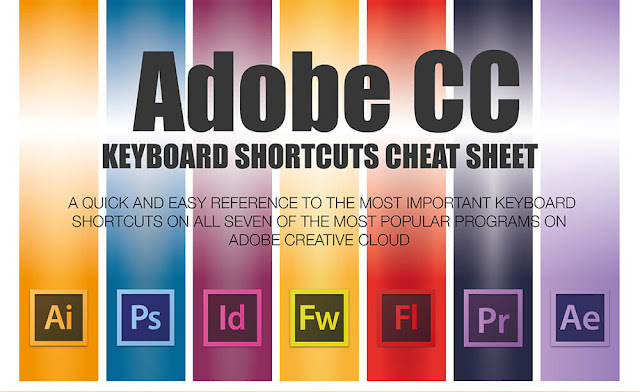
Photoshop  - for the purpose of retouching and to create graphical elements
Illustrator - for making illustrations like logos
InDesign - for book and page layouts
Flash - for making animation and interactive websites

NON-Designer
For those of us that run websites and don’t have a dedicated design team to allocate work to, it's still necessary to participate in the design process, but these tools might help.


• deviantART muro - a browser-based HTML5 drawing application

• Fluid UI - create interactive mockups for Android, iOS and Windows 8

• Sumopaint - simple graphics editor application for Web browsers, PCs or iPads

• Actual Reports Designer - useful for non-designers that want to generate QR codes to market their services, products or content

• Pixlr - online photo editor

• MindMeister - a mind mapping software

• IcoMoon - allows users to select the icons they need, and make them into a font.

• HTML Banner Maker - online application that allows you to easily create interactive html/javascript banner ads

• Mugeda - provides publishers unique HTML5 technologies to create professional rich media mobile ads

• TweenUI - create HTML5 display ads that play on mobiles, tablets and desktop